
Find Parking Kiosk Machine You Need, Contact Lean Kiosk Now
- Request A Quote Now
Watch our factory video below! We're proud to offer expert prking kiosk machine solutions, crafted with over 15 years of manufacturing experience as a professional, direct factory. See our capabilities firsthand!
A direct thermal printer uses a thermal printhead to produce text and graphics on compatible heat-sensitive paper.
The kiosk application sends print commands through the supported driver or printer protocol.
The printer then feeds the paper, prints the required information and cuts or presents the ticket according to its configuration.
The parking software determines the content, which may include a parking identifier, QR code, timestamp, payment amount or transaction reference.
Produces the printed information on suitable thermal paper.
Moves paper through the printer at the required speed.
Separates the printed ticket or receipt when the selected printer supports cutting.
Can detect paper shortage, paper-out conditions or other supported printer states.
Some printer configurations use a presenter to manage ticket delivery to the user.
Receives data and commands from the kiosk application through the supported interface.
Paper width: Select a printer that matches the required ticket or receipt format.
Print speed: Evaluate expected transaction volume and required output time.
Paper capacity: Larger rolls may reduce paper replacement frequency.
Automatic cutter: Useful where individual tickets or receipts must be separated.
Barcode printing: Confirm print resolution and QR/barcode format requirements.
Operating system: Verify driver or command compatibility.
Maintenance: Allow access for paper replacement, cleaning and jam removal.
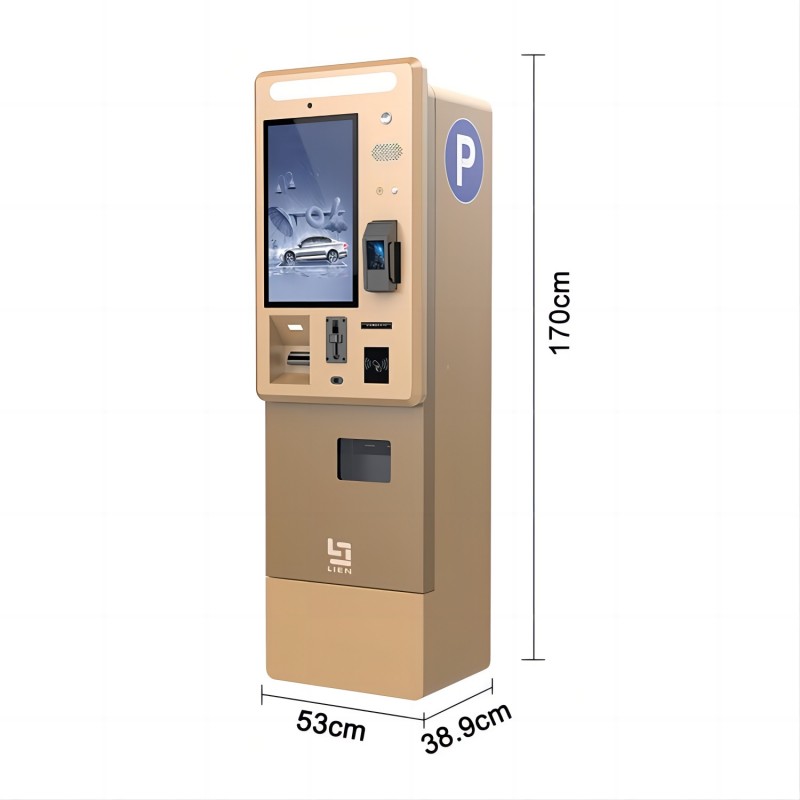
A parking system may generate a ticket containing a unique parking identifier.
After successful payment, the kiosk can print the transaction details.
A compatible system may issue a ticket or voucher containing validation information.
Printed identifiers can be used within the parking operator's supported exit workflow.
The printer itself does not calculate parking fees or authorize exit. Those functions belong to the application and management system.
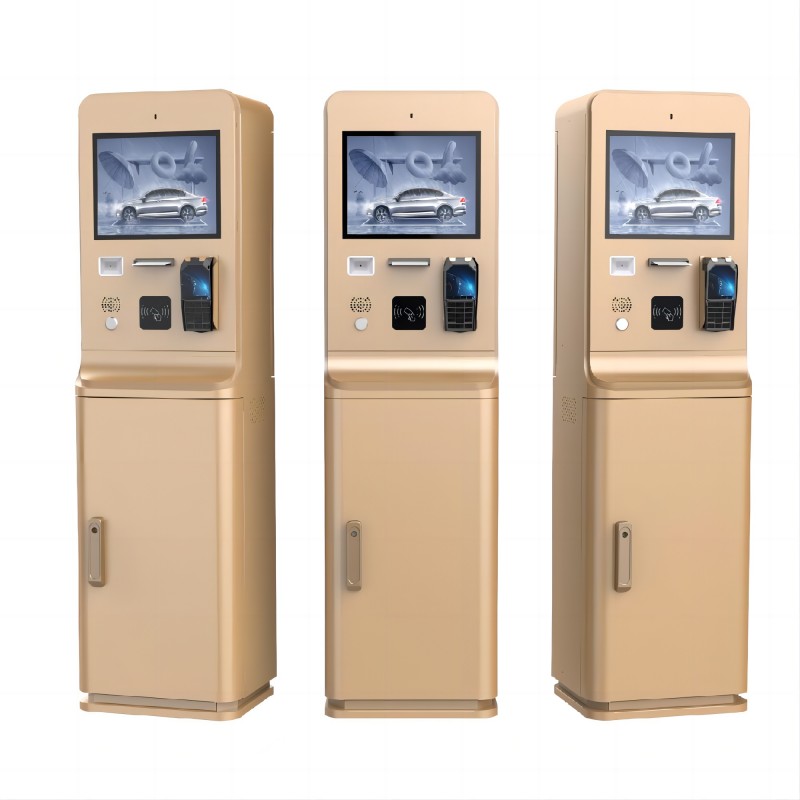
Designed around ticket issuance, printing and related identification functions.
Combines ticket-related interaction with scanners, printers and software interfaces.
Prints receipts or transaction confirmations after supported payments.
May issue payment receipts or updated parking tickets.
We review printer dimensions, paper path, output opening, power supply, communication protocol and maintenance access.
The cabinet design must allow users to retrieve tickets easily while protecting the printer and its paper supply.
During integration, the selected printer can be checked for communication, print output, cutting and supported status reporting.
Paper jams: Review paper path, roll installation and printer condition.
Unreadable QR codes: Confirm printer resolution, print density and code size.
Paper shortage: Integrate available printer status signals with the application.
Difficult maintenance: Improve service door and paper roll access.
Ticket retrieval problems: Evaluate output slot geometry and optional presenter mechanisms.
Thermal printers are commonly used for tickets and receipts.
Yes, when the selected printer and application support the required format.
Compatible 80 mm thermal printer configurations can be evaluated.
Some printer models support paper-related status signals. This must be verified for the selected device.
Custom ticket layouts can be developed within the capabilities of the printer and application software.
Contact Lean Kiosk with your paper width, ticket format, printing volume, operating system and required printer functions.
Our team can help evaluate a suitable printer and kiosk hardware configuration.