
Find Parking Kiosk Machine You Need, Contact Lean Kiosk Now
- Request A Quote Now
Watch our factory video below! We're proud to offer expert prking kiosk machine solutions, crafted with over 15 years of manufacturing experience as a professional, direct factory. See our capabilities firsthand!
The interface should present the parking payment process in a logical sequence.
A typical workflow includes parking identification, fee display, payment selection, transaction confirmation and receipt options.
Text size, contrast, button spacing and screen layout affect usability.
The interface should remain understandable under the expected lighting conditions.
Buttons should be large enough for reliable interaction, particularly in public self-service environments.
The application can be designed to support multiple languages according to the destination market.
Users should receive understandable instructions when a ticket cannot be read, payment fails or a printer is unavailable.
Back, cancel and confirmation controls should remain predictable throughout the workflow.
The touchscreen, card reader, scanner and ticket outlet should be positioned according to the intended users and applicable accessibility requirements.
Users should be able to access required controls without excessive reaching.
Display positioning should consider standing users, seated users and the installation environment.
Floor-standing kiosks require suitable surrounding space for approach and operation.
Depending on the project, accessibility options may include audio guidance, physical controls or other supported assistive features.
The required functions must be specified and validated against the applicable standards.
Vehicle-lane terminals have different ergonomic requirements from pay-on-foot stations.
Drivers may need to operate the screen or scanner from a vehicle window.
Important factors include cabinet height, vehicle approach, lane slope and the position of payment peripherals.
Lean Kiosk's published underground shopping mall project describes a customized cabinet height intended to improve driver access at a sloped parking entrance or exit.
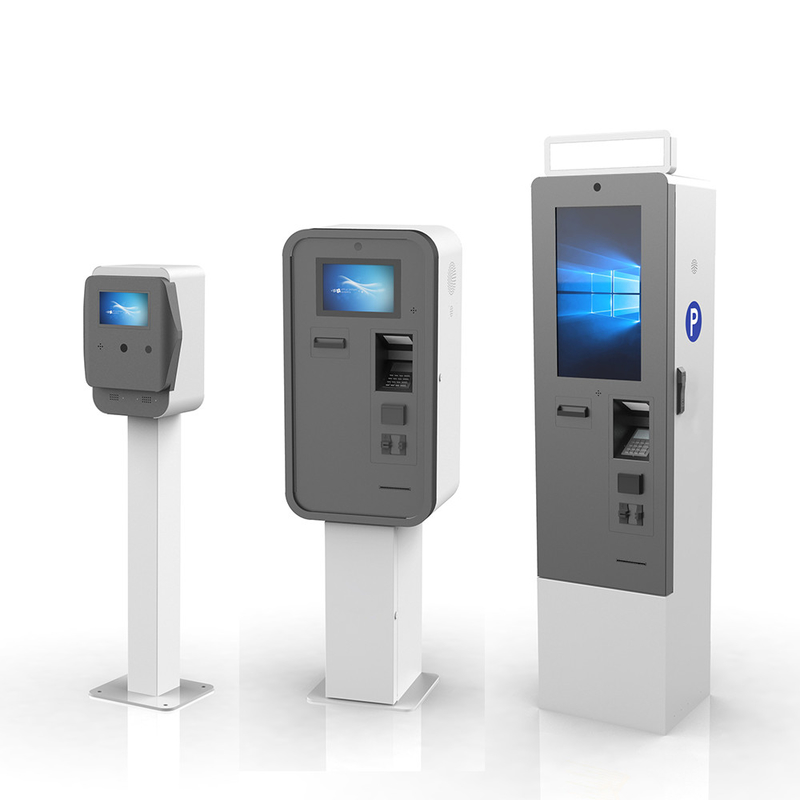
Designed for pedestrians completing parking payment before returning to their vehicles.
Requires clear fee information, payment choices and transaction confirmation.
May serve drivers from a vehicle or pedestrians in a garage payment area.
Should provide clear ticket instructions, scanning guidance and printing feedback.
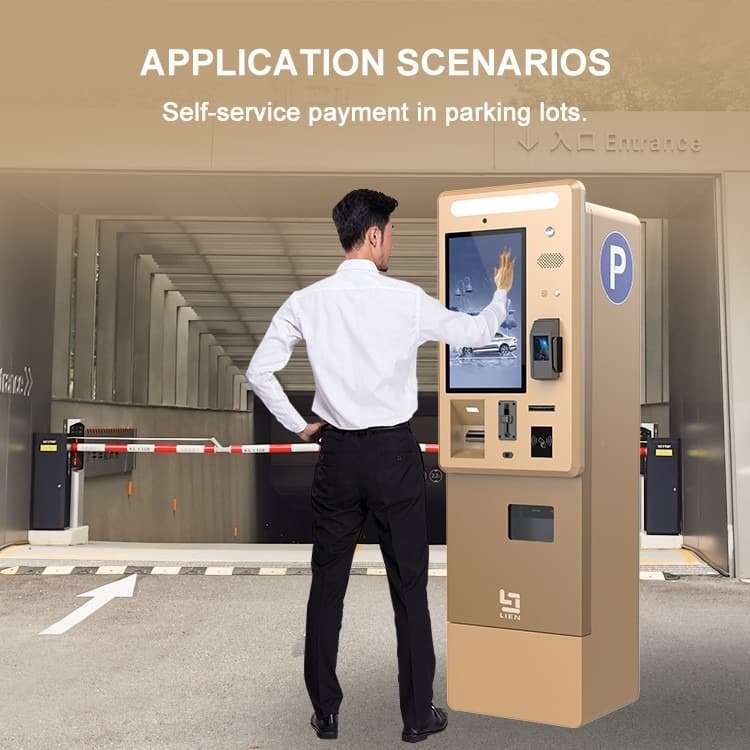
Our engineering process considers the selected display, cabinet dimensions, peripheral positions and intended interaction workflow.
The software interface can be adapted according to the agreed application scope and customer requirements.
Physical design and software layout should be reviewed together because a well-designed interface cannot compensate for an inaccessible card reader or poorly positioned scanner.
Review reader position and operating height.
Evaluate brightness, contrast, reflections and text layout.
Simplify instructions and reduce unnecessary interaction steps.
Provide clear explanations and supported recovery options.
Plan localization and verify the interface layout for each language.
Yes. Cabinet dimensions and screen position can be evaluated for the project.
Multilingual UI options can be planned according to the selected application.
Compatible audio hardware and software functions can be evaluated.
No. Compliance depends on the final installation, physical dimensions, interface functions and applicable requirements.
Branding and UI adaptation can be included in the agreed customization scope.
Contact Lean Kiosk with your target users, installation environment, required languages, screen size and accessibility requirements.
We can help evaluate the appropriate cabinet and user interface configuration.